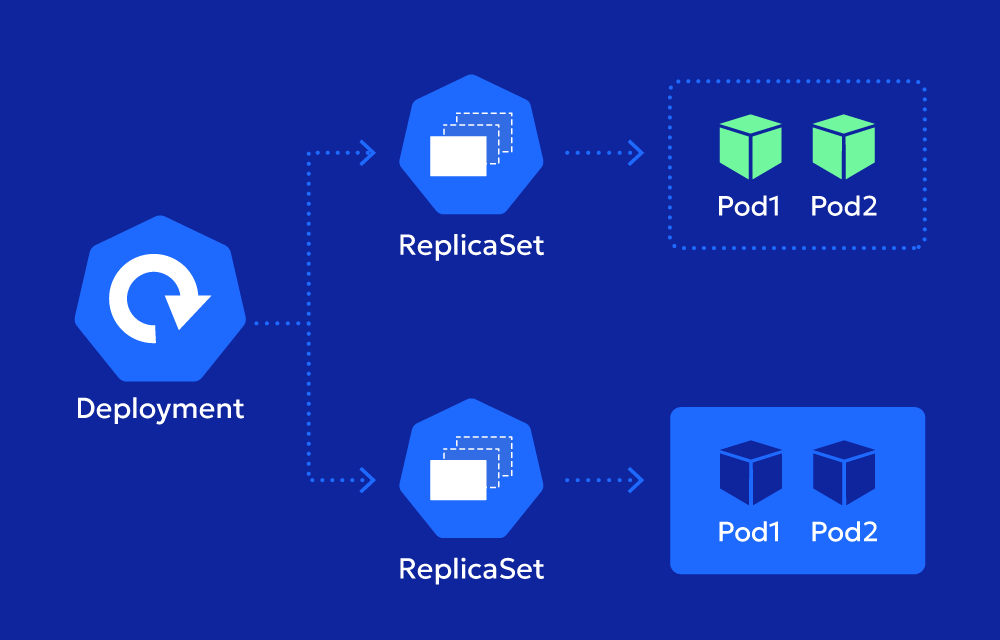
When it comes to updating applications in Kubernetes, ensuring minimal downtime while deploying new versions is key. For Deployments, Kubernetes provides the maxSurge setting to help you manage how new pods are created during a rolling update. It’s all about balancing the speed of the update with maintaining application availability.
Why is maxSurge Matter important?
Imagine you’re updating a Deployment running five replicas. During the update, you don’t want to take down an old pod until a new one is up and running. By allowing extra pods to exist temporarily, maxSurge makes sure there’s no gap in your application’s availability.
Here’s the magic:
- With
maxSurge, Kubernetes creates extra new pods before terminating old ones, ensuring a smooth transition. - The higher the
maxSurgevalue, the faster your update can proceed since more new pods can come online simultaneously.
How Does maxSurge Work?
maxSurge is part of the RollingUpdate strategy for Deployments. It specifies how many additional pods above the desired replica count can be created during the update process. Once the update is complete, Kubernetes automatically scales down to the desired number of replicas.
Key Features:
- Default Value: If you don’t define
maxSurge, the default is25%. - Integer or Percentage: You can specify
maxSurgeas an absolute number (e.g.,2) or a percentage (e.g.,25%) of the desired replicas. - Dynamic Behavior: Kubernetes calculates the maximum number of pods based on the value of
maxSurgeand the current replica count.
Setting maxSurge in a Deployment
Here’s an example of how to define maxSurge in your Deployment:
Example YAML
  apiVersion: apps/v1
kind: Deployment
metadata:
  name: example-deployment
spec:
  replicas: 5
  strategy:
    type: RollingUpdate
    rollingUpdate:
      maxSurge: 2
      maxUnavailable: 1
  selector:
    matchLabels:
      app: example
  template:
    metadata:
      labels:
        app: example
    spec:
      containers:
      - name: app-container
        image: example-app:latest
How It Works:
- With
maxSurge: 2, Kubernetes can create up to 7 pods during the update process (5 desired replicas + 2 extra pods). - Once the new pods are ready, Kubernetes gradually terminates the old pods to return to the desired state of 5 replicas.
When Should You Use maxSurge?
maxSurge is particularly useful in scenarios where maintaining availability is critical during updates. Here are some common use cases:
- High-Availability Applications:
- For applications like APIs or web services,
maxSurgeensures there’s no downtime while rolling out updates.
- For applications like APIs or web services,
- Faster Updates:
- By allowing more new pods to be created at once,
maxSurgespeeds up the update process for applications that can handle temporary over-provisioning.
- By allowing more new pods to be created at once,
- Handling Traffic Peaks During Updates:
- If your application experiences a spike in traffic, the extra pods created by
maxSurgecan temporarily handle the load.
- If your application experiences a spike in traffic, the extra pods created by
maxSurge vs. maxUnavailable
maxSurge and maxUnavailable often work together in a Deployment’s update strategy. While maxSurge defines how many extra pods can be created, maxUnavailable determines how many existing pods can be taken offline at the same time.
| Feature | maxSurge | maxUnavailable |
|---|---|---|
| Purpose | Adds extra new pods during updates | Limits how many old pods can be unavailable |
| Effect on Updates | Speeds up the update process | Maintains application stability |
| Default Value | 25% | 25% |
Using both settings together gives you precise control over your application’s behavior during updates.
Best Practices for Using maxSurge
- Understand Application Requirements:
- For critical, high-availability apps, set a higher
maxSurgeto ensure extra capacity during updates.
- For critical, high-availability apps, set a higher
- Test Before Production:
- Test
maxSurgesettings in a staging environment to find the right balance for your application.
- Test
- Combine with
maxUnavailable:- Use
maxSurgeandmaxUnavailabletogether to fine-tune how rolling updates are handled.
- Use
- Monitor Resource Usage:
- Keep an eye on cluster resources when using a high
maxSurgevalue, as creating extra pods can temporarily increase resource consumption.
- Keep an eye on cluster resources when using a high
Resources
Kubernetes Documentation – Deployments
This page explains how rolling updates work for Deployments, including details about maxSurge and maxUnavailable.
Kubernetes API Reference – Deployment Apps
Provides detailed specifications for maxSurge and how to configure it within a Deployment strategy.