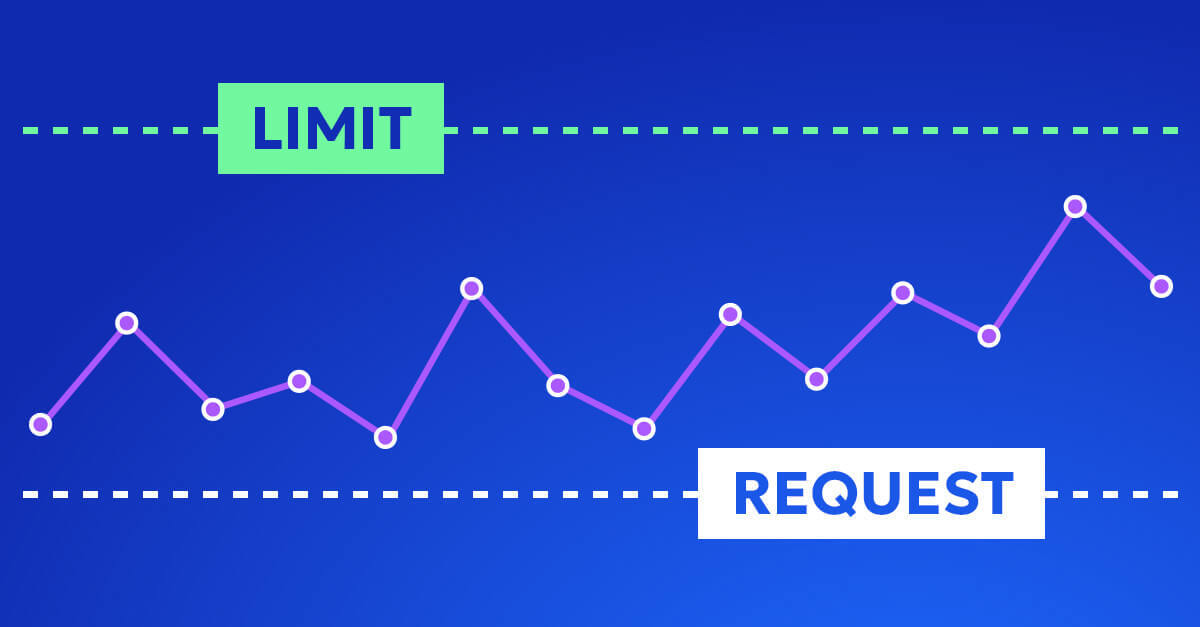

If you’re operating Kubernetes in production, you probably know this story: you analyze metrics, tune CPU and memory requests, validate them against historical data, and roll changes out carefully. And even though pods are no longer wildly overprovisioned, the cloud bill stays pretty much the same.
If that’s familiar, it’s not necessarily caused by poor execution, but likely a result of how K8s is designed to balance elasticity and safety. Accurate requests are necessary, but don’t eliminate waste on their own.
This article is a step-by-step guide that explains where that waste comes from, how to recognize it, and how to actually remove it from your cluster.
Step 1: Understand what accurate requests really optimize
Why rightsizing matters, but only within limits
Prerequisites
- Kubernetes cluster with metrics-server or Prometheus installed
- Access to pod-level CPU and memory usage metrics
- Basic familiarity with requests and limits
Accurate requests mean that a pod’s resource requests closely reflect its typical runtime needs. For CPU, this usually means aligning requests with sustained usage rather than peaks. For memory, it often means sizing close to the working set to avoid OOMKills.
What accurate requests do well:
- Improve scheduler decisions.
- Reduce node overcommit risk.
- Stabilize HPA behavior.
- Prevent pathological overprovisioning at the pod level.
What they do not do:
- Maximize utilization.
- Eliminate idle capacity.
- Reduce node count automatically.
- Guarantee lower cloud costs.
A key mental shift is required here. Kubernetes uses requests as reservations, not forecasts. Once a request is set, the scheduler treats that capacity as unavailable to others, regardless of whether it is actually used.
Checkpoint
If your pods are no longer throttling or crashing due to resource pressure, and HPA behaves predictably, your requests are likely accurate.
Up next, we will see why autoscaling itself introduces the first unavoidable layer of waste.
Step 2: Account for the HPA headroom buffer
Why autoscaling needs unused capacity to function
Prerequisites
- Horizontal Pod Autoscaler enabled
- Metrics used for scaling, usually CPU utilization
The Horizontal Pod Autoscaler works by comparing observed utilization to a target. That target is almost never 100 percent, and for good reason.
Consider this configuration:
  resources:
  requests:
    cpu: "1"

hpa:
  metrics:
    - type: Resource
      resource:
        name: cpu
        target:
          type: Utilization
          averageUtilization: 80
This setup intentionally keeps each pod running at around 800 millicores. The remaining 200 millicores are not a mistake. They are safety margin.
Why this buffer exists:
- HPA polls metrics on intervals, typically every 15 seconds.
- Scaling actions take time. New pods must be scheduled and started.
- Without headroom, traffic spikes overwhelm existing pods before scaling reacts.
If you set the target to 100 percent, you are effectively betting that load never spikes faster than your scale-out loop. In production, that bet usually loses.
Expected outcome
Each pod runs below its requested capacity by design.
Common pitfall
Chasing higher utilization by raising HPA targets often leads to latency spikes or failed requests before any real cost savings appear.
Next, we will layer in a second buffer that most teams underestimate.
Step 3: Factor in replica-level guarantees
Why minimum replicas quietly reserve capacity
Prerequisites
- Workload with minReplicas defined
- Stable baseline traffic pattern
Minimum replicas are a reliability mechanism. They ensure that capacity is always available, even during quiet periods.
Example:
- Request per pod: 1 CPU
- HPA target: 80 percent
- minReplicas: 10
This configuration reserves 10 CPUs at all times. Under steady load, only about 8 CPUs are actively used. The remaining capacity is idle but unavailable to other workloads.
Kubernetes does not partially reclaim requests from replicas that are “mostly idle.” From the scheduler’s perspective, those CPUs are owned.
Checkpoint
If reducing traffic does not reduce reserved capacity, minReplicas are likely the reason.
In the next step, we will combine these two buffers and show why their interaction matters more than either one alone.
Step 4: Recognize the per-pod and per-workload buffer multiplication
Why accurate sizing still compounds waste
At this point, two independent buffers exist:
- Per-pod headroom from HPA targets.
- Per-workload reservations from replica counts.
These buffers do not cancel each other out. They multiply.
Even if every pod is perfectly sized:
- Each pod carries unused headroom.
- Each workload carries unused replicas.
- The scheduler treats all of it as non-negotiable.
At scale, this effect becomes dominant. Large fleets of well-sized workloads still accumulate substantial idle capacity, simply because safety margins stack.
This is why teams often observe that rightsizing improves metrics but not utilization.
Next, we will see how the scheduler turns these theoretical buffers into concrete waste at the node level.
Step 5: Understand how the scheduler locks in unused capacity
Why requests become hard reservations
Prerequisites
- Mixed workloads on shared nodes
- Pods with moderate to large requests
The Kubernetes scheduler places pods based on requests, not actual usage. It does not know or care that a pod typically uses 50 percent of what it asked for.
Example:
- Pod requests 4 CPUs.
- HPA target utilization is 50 percent.
The scheduler places this pod on a node with at least 4 free CPUs and then blocks those CPUs for others. No additional pods will be placed there, even if real usage stays around 2 CPUs.
This leads to node fragmentation:
- Nodes appear “full” from the scheduler’s perspective.
- Actual usage remains low.
- Autoscalers add nodes instead of packing existing ones better.
Common pitfall
Assuming low average utilization means the scheduler can rebalance automatically. It cannot.
Up next, we will look at why manual tuning struggles to fix this.
Step 6: Avoid chasing your tail with manual tuning
The feedback loop nobody tells you about
Changing one scaling parameter always affects the others:
- Increasing requests changes how much load each replica can handle.
- Changing HPA targets alters replica counts.
- Adjusting minReplicas shifts baseline capacity.
These parameters form a feedback loop. Tuning one in isolation often destabilizes another.
There is no static “correct” configuration. Workloads evolve, traffic patterns change, and yesterday’s optimal setting becomes today’s waste.
Checkpoint
If you are revisiting the same YAML every few weeks, you are experiencing this loop.
Next, we will add time as a variable and see how drift makes everything harder.
Step 7: Plan for workload drift, not steady state
Why accuracy decays over time
Even predictable workloads drift:
- Daily usage cycles.
- Weekly business patterns.
- Seasonal demand shifts.
To stay safe during peaks, teams often size for the worst case and accept waste during off-peak hours. That waste is not visible in pod metrics, but it is very real at the infrastructure level.
Static minimums that protect you at 3 PM quietly burn money at 3 AM.
Next, we will widen the lens beyond CPU and expose another common blind spot.
Step 8: Stop optimizing one resource at a time
CPU-focused scaling hides memory and GPU waste
Most HPAs scale on CPU. Many workloads are constrained by memory, I/O, or GPUs.
Examples:
- Memory-heavy services that never reach CPU targets.
- GPU workloads with fixed device counts and variable CPU usage.
Optimizing CPU requests alone can increase waste elsewhere:
- High memory requests force large nodes.
- Unused CPU becomes stranded capacity.
Definition
Multi-resource coupling means that the most restrictive resource determines placement and cost, not the most visible one.
Next, we will connect Kubernetes behavior to how cloud providers actually bill you.
Step 9: Separate Kubernetes efficiency from cloud cost reality
Why pod savings do not equal bill savings
Cloud providers bill for nodes and commitments, not pods.
You can reduce pod requests and still:
- Run the same number of nodes.
- Hold the same instance commitments.
- Pay for capacity that Kubernetes cannot consolidate.
Affinity rules, anti-affinity, and lack of bin-packing prevent node scale-down, even when pods are “efficient.”
Checkpoint
If node count does not decrease after rightsizing, cost will not either.
Finally, we will tie everything together.
Removing the requests headache entirely
If managing requests feels like a never-ending tuning exercise, this is exactly what Zesty’s Pod Rightsizing is built to solve. It continuously analyzes real workload behavior, adjusts CPU and memory requests automatically, and doesn’t conflict with HPA configurations to ensure safe scaling without manual intervention. Check it out here.
Accept waste as a design tradeoff, then optimize above it
Accurate requests are essential. Without them, nothing else works correctly. But they are not a silver bullet.
Kubernetes intentionally trades utilization for:
- Reliability.
- Predictable scaling.
- Operational safety.
The resulting waste is structural, not accidental. Eliminating it requires system-level thinking that spans pods, workloads, nodes, and cloud billing constructs.
If accurate requests are your foundation, the real work starts above them.